Not Just Media [127 Solves]#
Description#
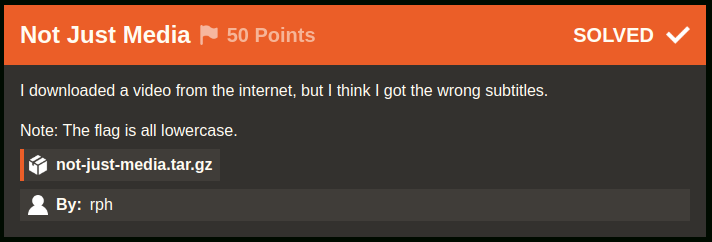
I downloaded a video from the internet, but I think I got the wrong subtitles.
Note: The flag is all lowercase.
not-just-media.tar.gzBy: rph
Short Solution#
Read subtitle with FakeFont embbed with chal.mkv.
Solution#
$ tar ztf not-just-media.tar.gz
not-just-media/
not-just-media/chal.mkv
not-just-media/credits.txt

cd not-just-media

$ file chal.mkv
chal.mkv: Matroska data

$ parole chal.mkv  # open chal.mkv with Parole Media Player
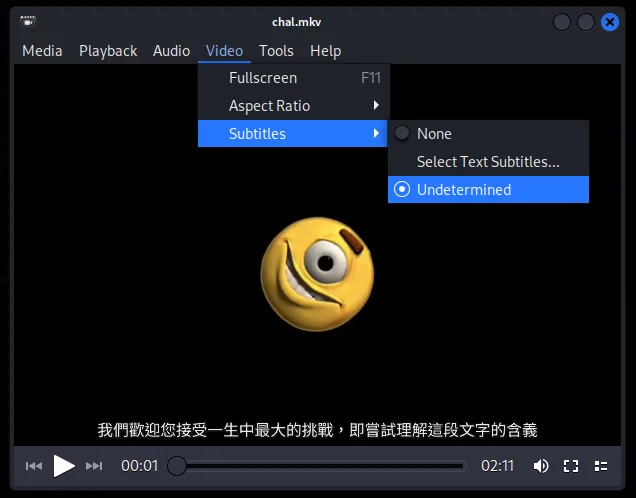
There is something written in the subtitle. I will extract it from the video using MKVToolNix.
$ apt install -y mkvtoolnix
...
$ mkvmerge -i chal.mkv
File 'chal.mkv': container: Matroska
Track ID 0: video (AVC/H.264/MPEG-4p10)
Track ID 1: audio (AAC)
Track ID 2: subtitles (SubStationAlpha)
Attachment ID 1: type 'font/ttf', size 7110560 bytes, description 'Imported font from Untitled.ass', file name 'NotoSansTC-Regular_0.ttf'
Attachment ID 2: type 'font/ttf', size 64304 bytes, description 'Imported font from Untitled.ass', file name 'FakeFont_0.ttf'
Attachment ID 3: type 'font/ttf', size 582748 bytes, description 'Imported font from Untitled.ass', file name 'NotoSans-Regular_0.ttf'
Global tags: 1 entry

$ cat subtitle.txt
[Script Info]
; Script generated by Aegisub 3.3.3
; http://www.aegisub.org/
Title: Default Aegisub file
ScriptType: v4.00+
WrapStyle: 0
ScaledBorderAndShadow: yes
YCbCr Matrix: None
PlayResX: 1280
PlayResY: 720

[Aegisub Project Garbage]
Last Style Storage: Default
Video File: ?dummy:23.976000:40000:1280:720:47:163:254:
Video AR Value: 1.777778
Video Zoom Percent: 1.125000

[V4+ Styles]
Format: Name, Fontname, Fontsize, PrimaryColour, SecondaryColour, OutlineColour, BackColour, Bold, Italic, Underline, StrikeOut, ScaleX, ScaleY, Spacing, Angle, BorderStyle, Outline, Shadow, Alignment, MarginL, MarginR, MarginV, Encoding
Style: Default,Noto Sans,48,&H00FFFFFF,&H000000FF,&H00000000,&H00000000,0,0,0,0,100,100,0,0,1,2,2,2,10,10,10,1
Style: CJK,Noto Sans TC,48,&H00FFFFFF,&H000000FF,&H00000000,&H00000000,0,0,0,0,100,100,0,0,1,2,2,2,10,10,10,1

[Events]
Format: Layer, Start, End, Style, Name, MarginL, MarginR, MarginV, Effect, Text
Dialogue: 0,0:00:00.00,0:02:10.00,CJK,,0,0,0,,我們歡迎您接受一生中最大的挑戰,即嘗試理解這段文字的含義
Translated the Chinese 我們歡迎您接受一生中最大的挑戰,即嘗試理解這段文字的含義 by Google Translate, it meant We welcome you to take on the greatest challenge of your life, which is to try to understand the meaning of this text in English.
The output by mkvmerge command includes Attachment ID 2 FakeFont_0.ttf, which does not seem to be a common font. I will extract FakeFont_0.ttf.
$ mkvextract chal.mkv attachments 2:fakefont
The attachment #2, ID 13557627962983747543, MIME type font/ttf, size 64304, is written to 'fakefont'.

$ file fakefont
fakefont: TrueType Font data, 13 tables, 1st "GDEF", 14 names, Macintosh

$ strings -a -n 5 -t x fakefont
...
   e3d8 Copyright 2022 The Noto Project Authors (https://github.com/notofonts/latin-greek-cyrillic)
   e434 Modified for IrisCTF
   e45b FakeFont
   e474 Regular
This FakeFont is modified for this IrisCTF 2024 so I guess to need this FakeFont font for flag.
It seems the subtitle is rendering with Noto Sans Font so I will try to open 我們歡迎您接受一生中最大的挑戰,即嘗試理解這段文字的含義 with FakeFont.
There are various font management tools depending on the operating system and desktop environment.
My host machine is KDE so I used KDE Font Viewer.
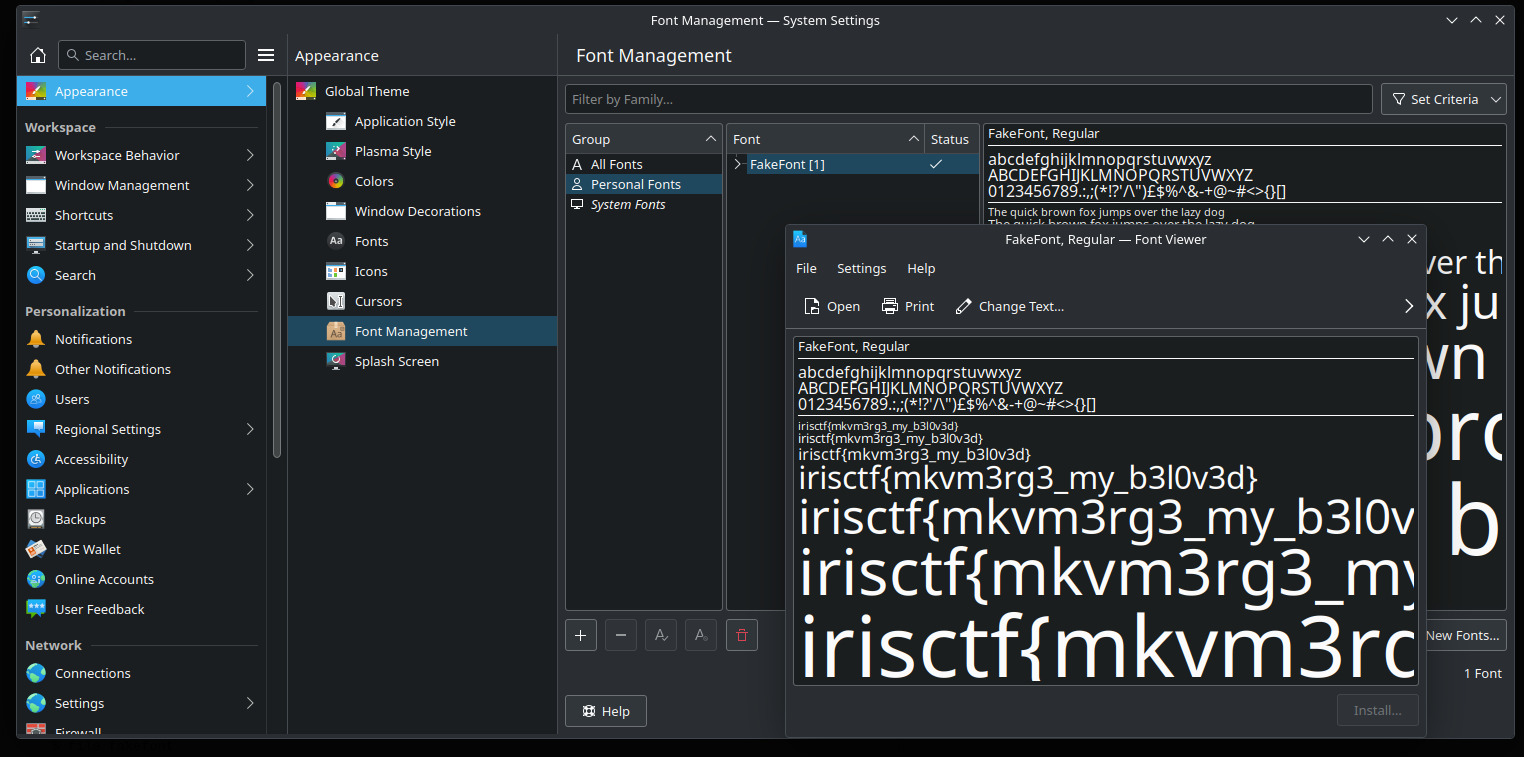
Got the flag.
Flag#
irisctf{mkvm3rg3_my_b3l0v3d}